Introduction
Recently, I’ve been using Claude Code for my experimental projects, and I’ve burned through my token limit quickly. Now, I have to rely on pay-as-you-go to keep it running.
Turning to Codex, I found that I hadn’t used much of my quota, so I assigned it some tasks. I discovered that Codex has also updated, and it’s a radical update. While Gemini aims to create a truly personalized and proactive desktop assistant, Codex has stepped up to the challenge.
Major Update
I checked the Release Notes, and the latest version, released on April 16, is called Codex Universal Assistant. The current version I am using is Codex 26.417.41555 (1858).
It seems that the major AI companies in Silicon Valley (OpenAI, Anthropic, and Google) are releasing products at an increasingly rapid pace. Their engineers are likely burning tokens without restraint, and the models are top-notch, possibly with additional enhancements. AI works tirelessly, and products like Codex can release several minor updates in a day, which is quite alarming.
Chinese AI companies really need to step up their game to develop first-class models so that our engineers can also thrive.
Evolution of Codex
So, what has Codex evolved into? It is no longer just a coding agent but a versatile agent that excels at coding, utilizing its own GPT model. It has transformed into a capable assistant with a graphical interface and security features, able to control your personal computer. If Codex adds a channel feature to integrate chat functions with various IM tools, it could rival both the Lobster and Hermes agents. Moreover, it can perform like a top-notch engineer. This advancement seems to have outpaced Gemini, and in my view, the combination of Gemini and Antigravity doesn’t match Codex’s ambition.
Codex’s official introduction states:
“We are releasing a major update to Codex, making it a more powerful partner for over 3 million developers, helping them accelerate their work throughout the complete software development lifecycle.”
Now, Codex can operate your computer, using more tools and applications you interact with daily, generating images, remembering your preferences, learning from past actions, and taking over ongoing and repetitive tasks. The Codex application has also added deeper support for developer workflows, such as reviewing PRs, viewing multiple files and terminals, connecting to remote development machines via SSH, and iterating on front-end designs, applications, and games more quickly within its built-in browser.
In other words, Codex can now see the screen like a user, click and input with its own cursor, directly controlling all applications on the user’s computer. Multiple agents can work in parallel on a Mac without disturbing each other, allowing you to code and view documents while they work quietly in the background.
For example, I can have it write code while I open a chat window to check my recent notes and even ask it to open the music app to play a song—all seamlessly.
New Layout
The new version of Codex has a layout that looks like this:
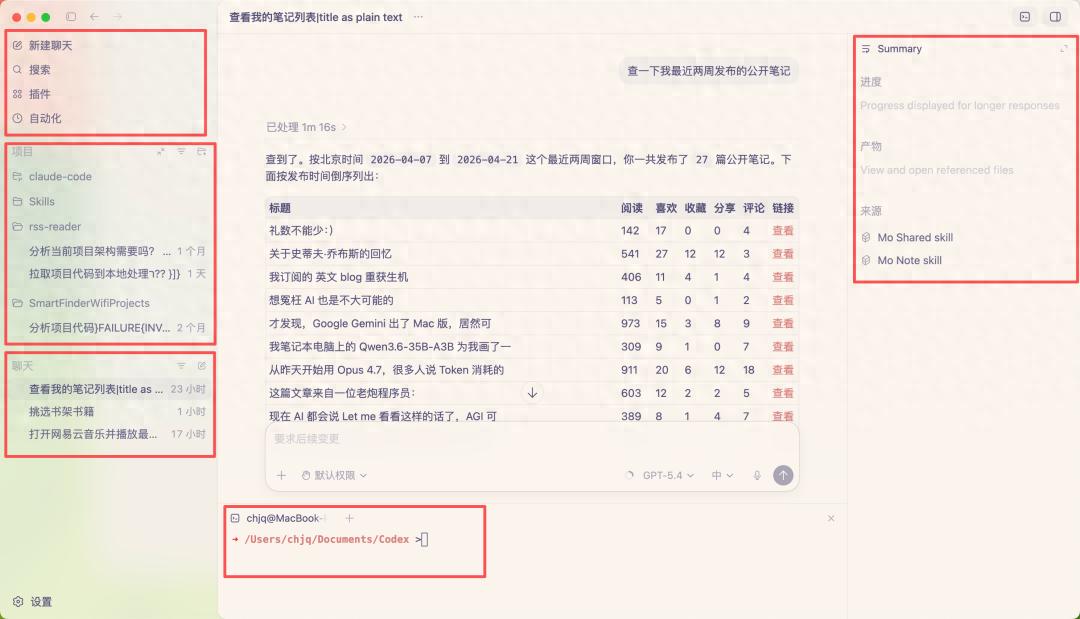
On the left side are three areas: the top is the function menu, including new chat, search, and added plugins and automation tools. The middle displays project conversation history, and the bottom shows chat history.
Projects are generally focused on local files, such as programming or processing data files. The chat can be used as an agent to directly view WeChat reading, play music, and execute command line tasks. For instance, we are working on the MoWen CLI and Skill, and I can use it directly in the conversation, opening the right sidebar to access the skills I’m using (still in development).
Plugin Market and Automation
The plugin market includes a wealth of skills. You can install whatever you need; I currently have two installed: one for Computer Use and another for Gmail. The Computer Use plugin controls the Mac and handles permissions securely, confirming all operations with the user.
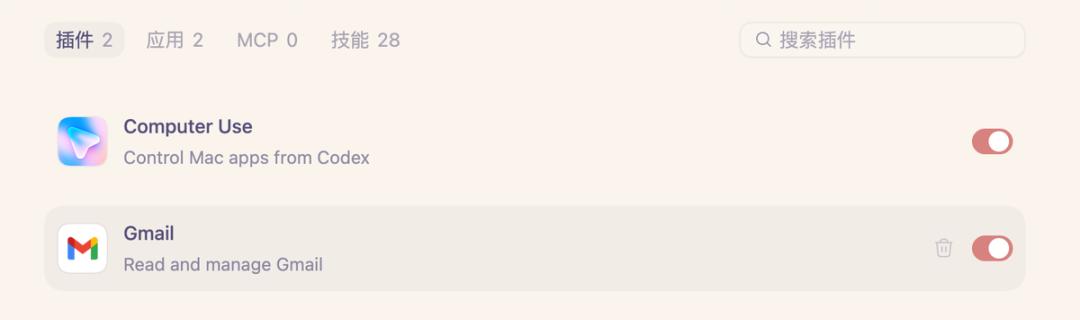
Computer Use can be installed in the settings and is primarily used to control the computer. During installation, Codex prompts you for Mac authorization, allowing you to decide whether to let Codex be your assistant:
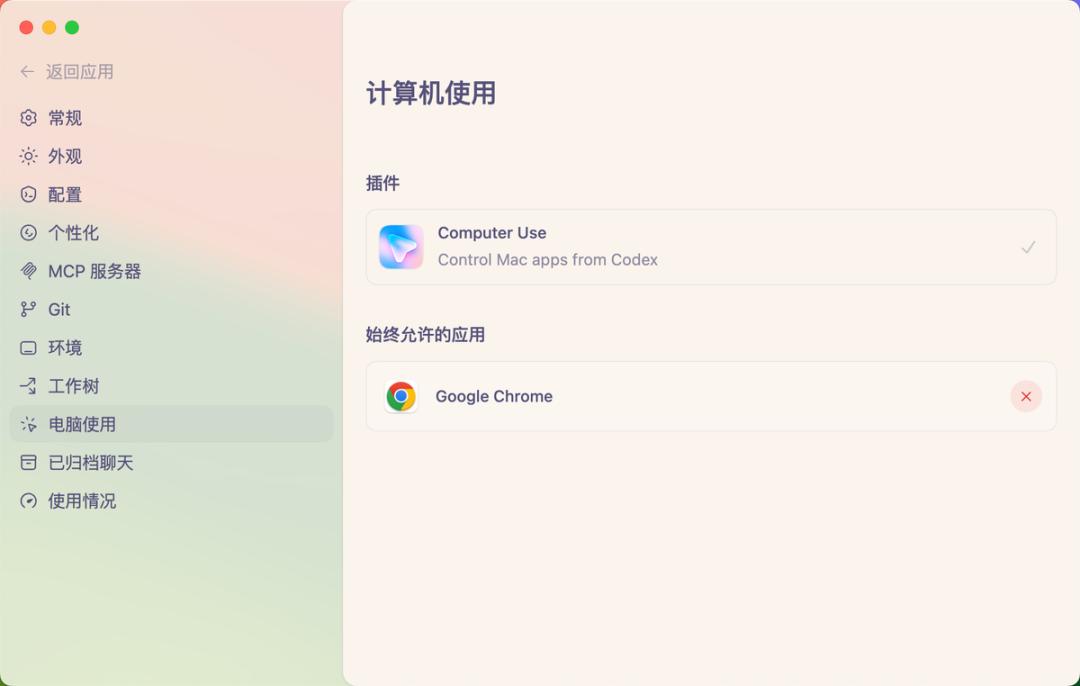
There are many features to explore in the settings, allowing users to customize their Codex experience.
From this version onward, Codex also natively supports the web, with a built-in browser. For example, I can launch and open CatReader directly within Codex (yes, this is another experimental project of mine):

The top right corner provides screenshot and comment modes, allowing us to draw and comment directly on the page, giving very specific instructions to the agent, enabling it to understand requirements, adjust layouts, and debug interactions based on the real interface. This is particularly friendly for products with front-end interfaces. According to the official plan, this capability will be further expanded, allowing Codex to fully control the browser beyond local web applications.
The automation capabilities are similar to Cron in Lobster, but Codex offers many default automation tasks that you can start based on your needs or define your own:

I set up a task to automatically check and fix bugs daily. At night, Claude Code writes the code, and in the morning, Codex reviews and fixes the bugs:
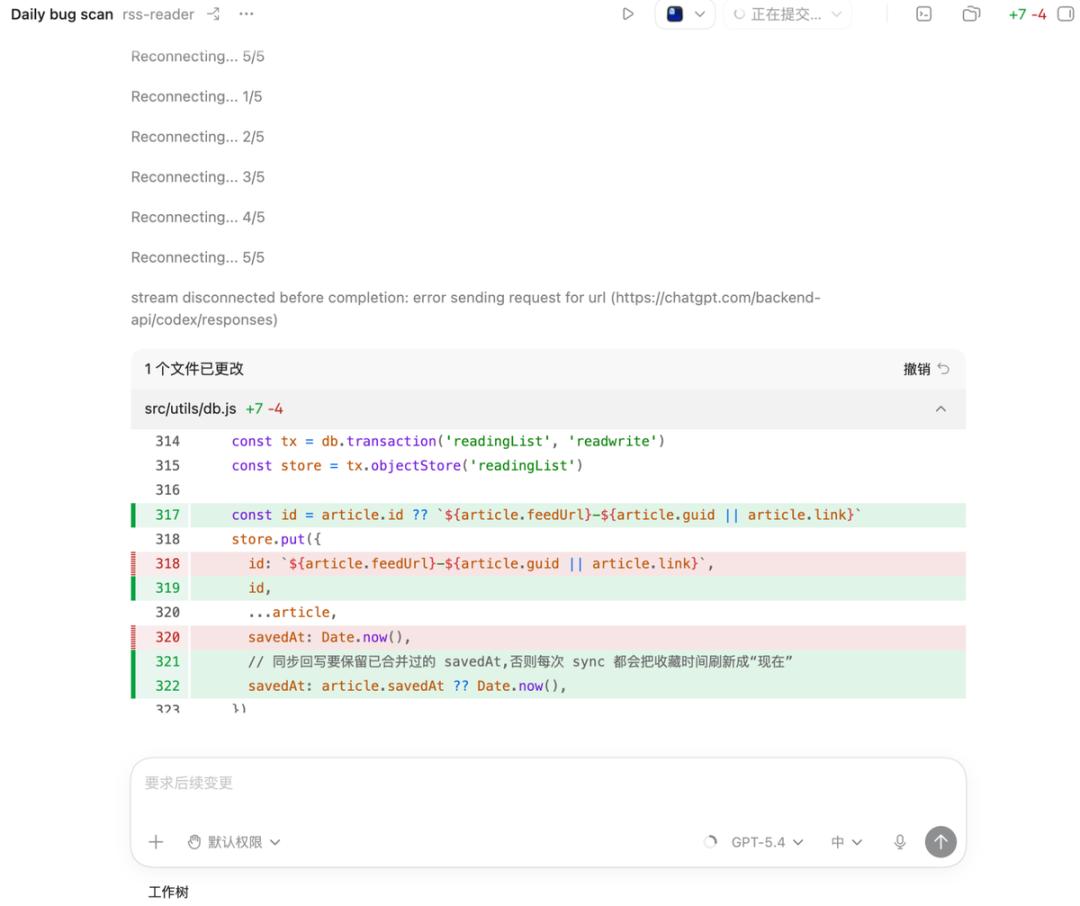
Essentially, I focus on supervision without doing the work myself.
New Features
There are also new features, such as Codex’s ability to use gpt-image-1.5 to generate images, helping users create visual materials for products, front-end designs, models, and games in the same workflow by combining screenshots and code.
I haven’t tried this much yet.
In project mode, the sidebar capabilities have greatly enhanced, allowing file access, code editing, direct web page access, and command writing in the terminal at the bottom, enabling direct handling of GitHub review comments and running multiple terminal tabs.
This is incredibly powerful, my friends.
This update can indeed be described as explosive.
Codex has also added proactive features, suggesting useful work and helping users continue from where they left off. By utilizing projects, connected plugins, and contextual memory, Codex can suggest how to start working or which project to advance. The longer you work with it, the more proactive it becomes.
In fact, Claude Code has similar capabilities; sometimes during product development, it will proactively add some designs based on my requirements for confirmation. However, these tools have not yet evolved to the point of suddenly telling me one morning that they want to create a product, but I feel that day is not too far off.
Keeping up with AI scripts is my last stubbornness.
Comments
Discussion is powered by Giscus (GitHub Discussions). Add
repo,repoID,category, andcategoryIDunder[params.comments.giscus]inhugo.tomlusing the values from the Giscus setup tool.