Cursor 2.0 Launch
On October 30, Cursor, a well-known AI programming platform, announced its upgrade to version 2.0, introducing the Composer, its first self-developed programming model, along with a new interface for parallel collaboration among multiple agents and 15 upgrades.
Key Features of the Composer Model
The most notable feature of the Composer model is its speed. Cursor claims that this model is designed for low-latency agentic programming within Cursor, with most interactions completed in 30 seconds, achieving speeds 4 times that of comparable intelligent models, and outputting over 200 tokens per second.
In internal evaluations, the Composer’s intelligence level has surpassed the best open-source programming models (including Qwen Coder and GLM 4.6) and is faster than existing cutting-edge lightweight models (including Claude Haiku 4.5 and Gemini Flash 2.5). However, its intelligence still lags behind GPT-5 and Claude Sonnet 4.5.
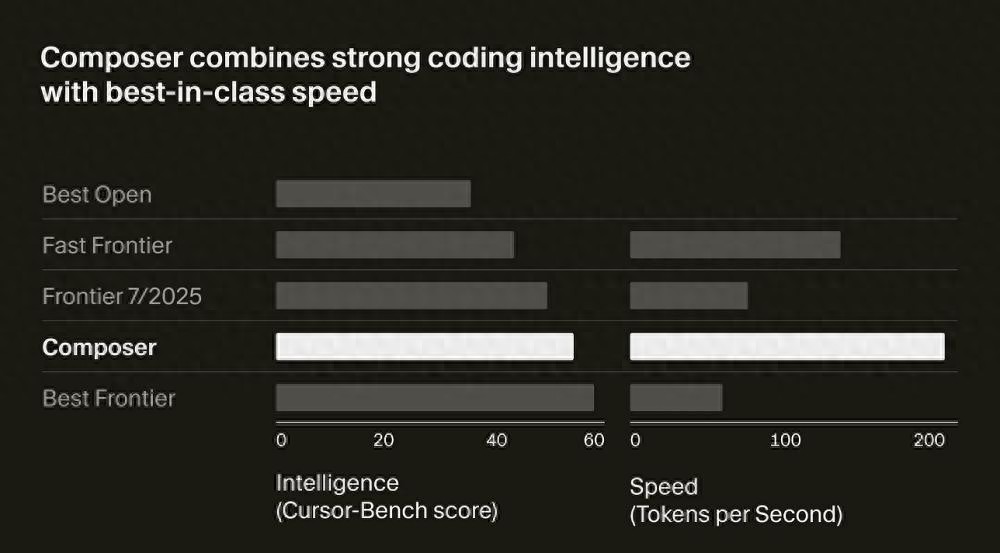 Composer’s intelligence and speed comparison with leading models.
As the capabilities of model agents continue to improve, Cursor’s UI has also been upgraded. The Cursor 2.0 UI is no longer file-centric but is redesigned around agents, allowing developers to focus on their goals while different agents handle implementation details.
Cursor 2.0 now supports parallel operation of up to 8 agents. They can work in separate workspaces without interference. Users can also have multiple agents attempt to solve the same problem simultaneously and choose the best solution—this approach has been shown to significantly enhance result quality in complex or open-ended tasks.
For deeper code inspection or editing, users can still open files or switch back to the classic IDE view with one click.
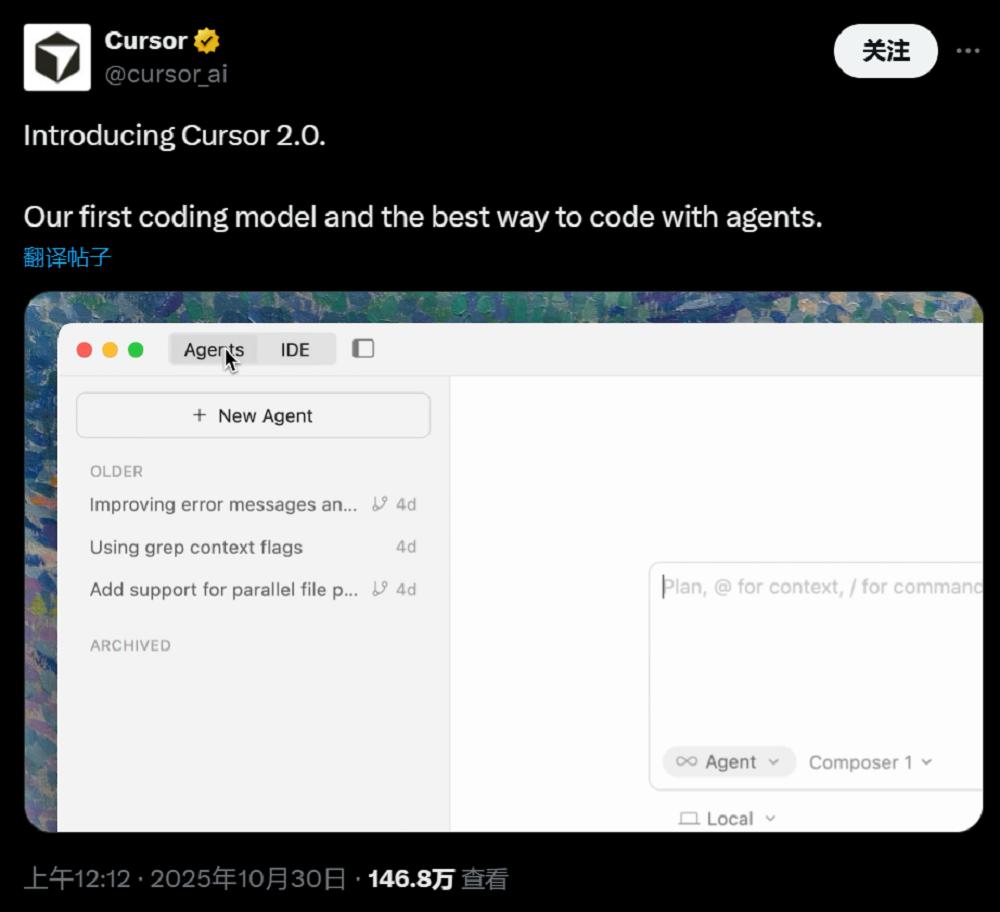 Cursor’s new UI.
With agents becoming increasingly integrated into the programming workflow, reviewing code and testing changes has become a new challenge. The new design in Cursor 2.0 allows users to see modification details without switching between different files.
The new native browser enables Cursor 2.0 to automatically test its work and iterate until correct results are produced. Users can directly select web elements for Cursor to modify, achieving a “point-and-click” editing experience.
Currently, Cursor 2.0 is fully online, and users can download the latest installation package from the Cursor website. However, to experience the Composer model in agent mode, a subscription to Cursor Pro is required.
Download link:
https://cursor.com/cn/download
15 Major Upgrades in Version 2.0
Agents Can Independently Complete Code Testing
Cursor has made 15 upgrades in UI and functionality to enhance user experience in line with today’s agentic programming characteristics.
(1) Multiple Agents Working in Parallel for Optimal Selection
In Cursor’s new editing page, users can more easily manage agents, with a new sidebar displaying agents and development plans. Now, a single prompt can be processed by up to 8 agents in parallel. This feature uses git worktrees or remote virtual machines to avoid file conflicts, with each agent having a dedicated isolated codebase.
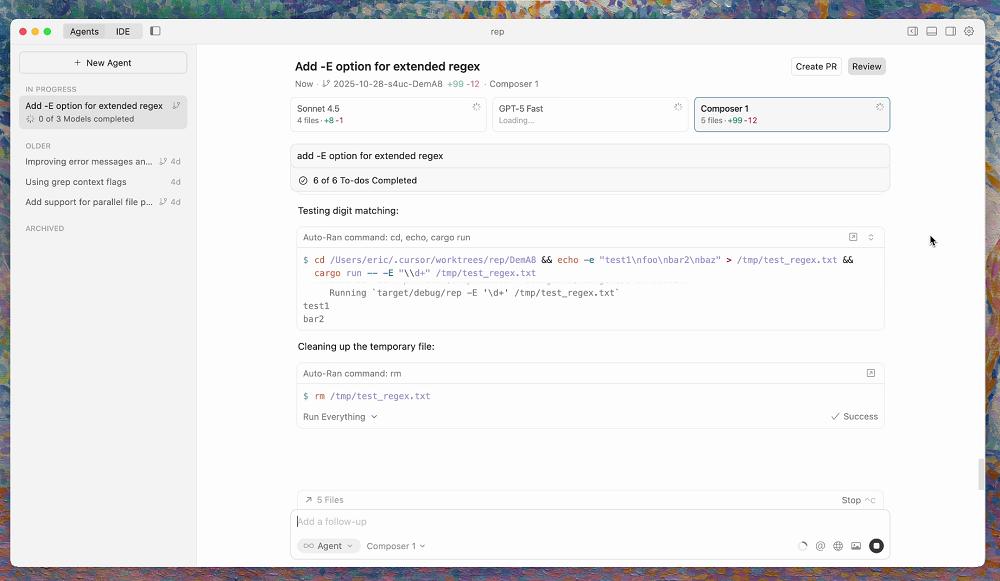 Cursor’s multi-agent mode.
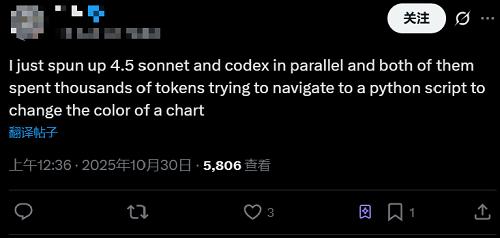
However, the potential downside of this mode is the token consumption. Users have reported that calling Sonnet 4.5 and Codex simultaneously can lead to thousands of tokens being spent just to change a chart color.
(2) Agents Can Use Browsers, Making Frontend Code Changes Easy
The browser functionality for agents, which was beta tested in version 1.7, has now been officially released. Cursor has also provided additional support for enterprise users, such as MCP whitelist and blacklist management.
Agents can control Cursor’s built-in browser to perform tasks such as testing applications, assessing accessibility, and converting designs into code through navigation, clicking, inputting, scrolling, and screenshotting. With complete access to console logs and network traffic, agents can debug issues and automate comprehensive testing processes.
Users have reported that the browser feature makes frontend development as easy as doodling; simply select the content to modify, and Cursor will handle the changes automatically.
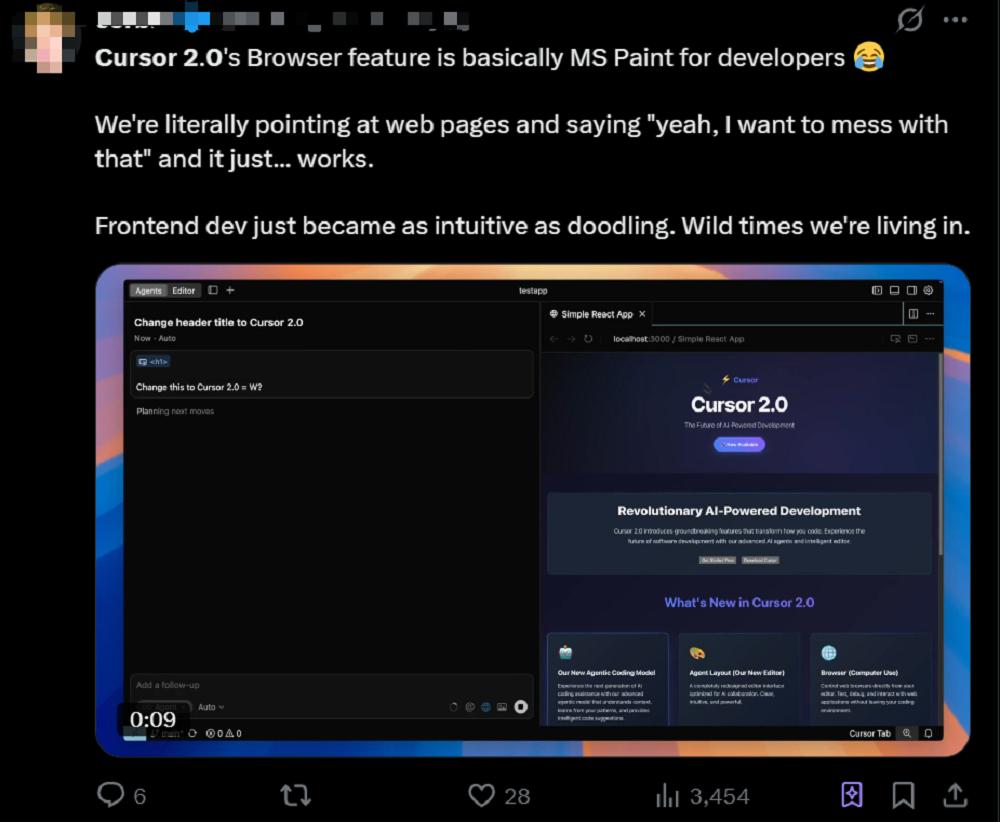 Cursor has optimized browser tools to enhance efficiency and reduce token usage, focusing on more efficient log processing, image-level visual feedback, intelligent prompts, and development server awareness.

(3) Code Review Functionality Upgraded, No More Back-and-Forth
The improved code review feature aggregates all modifications into a single interface, making it easier for users to view all changes made by agents across multiple files without switching between them.
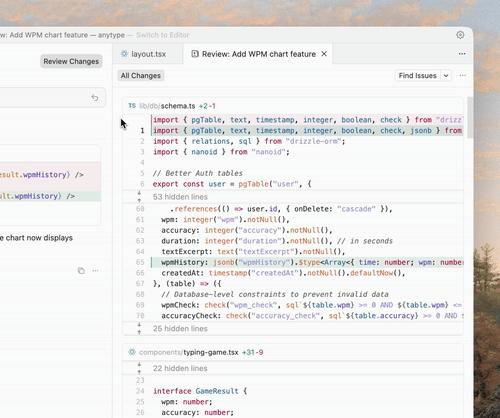 Cursor’s aggregated review interface.
(4) Sandbox Terminal Enabled by Default, Enhancing Agent Security
Cursor has launched a macOS version of the sandbox terminal feature. Starting from Cursor 2.0, agent commands and unauthorized shell commands will run in a secure sandbox by default. This sandbox environment has read and write access to the user’s workspace but cannot access the internet.
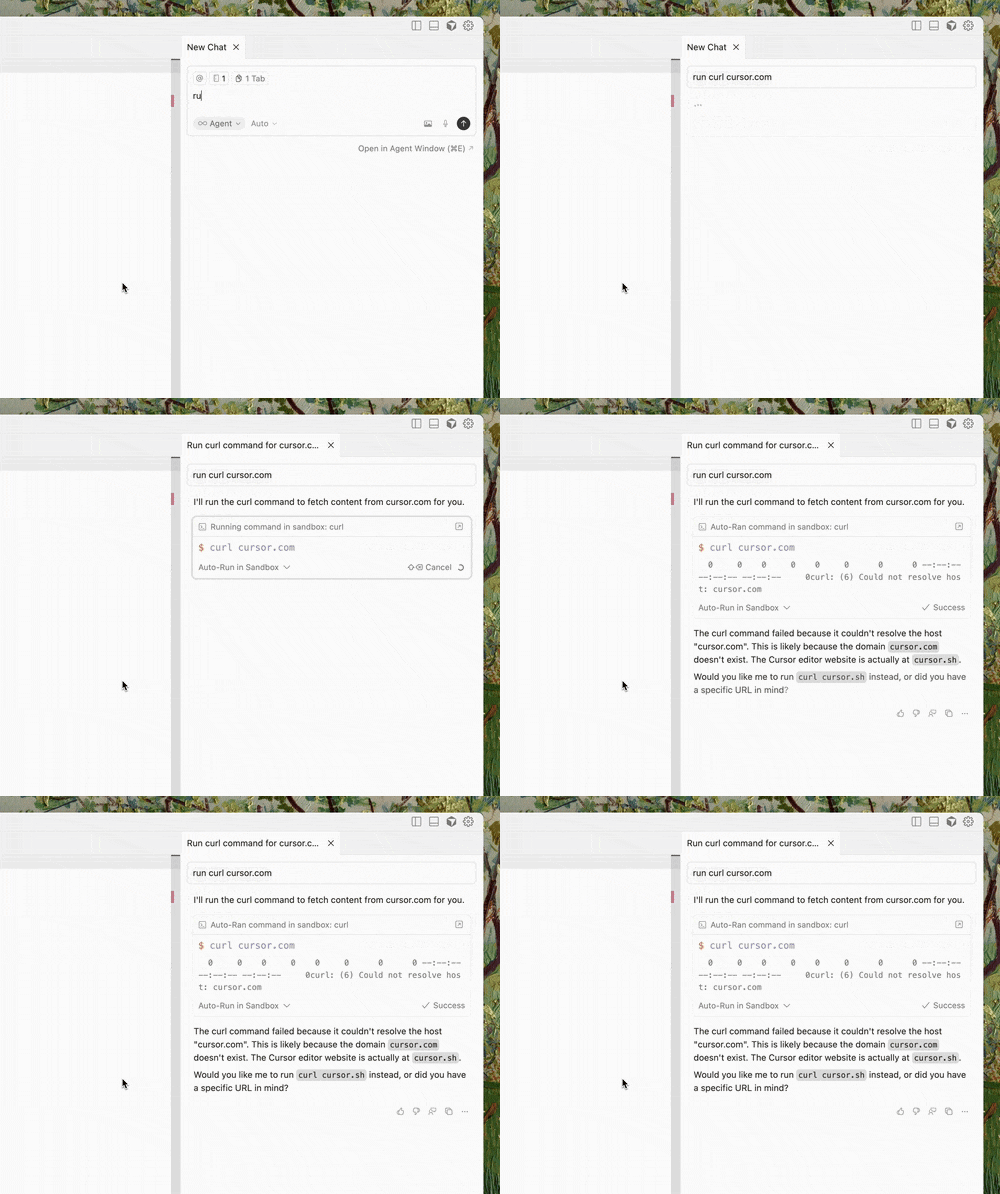 Cursor’s sandbox terminal.
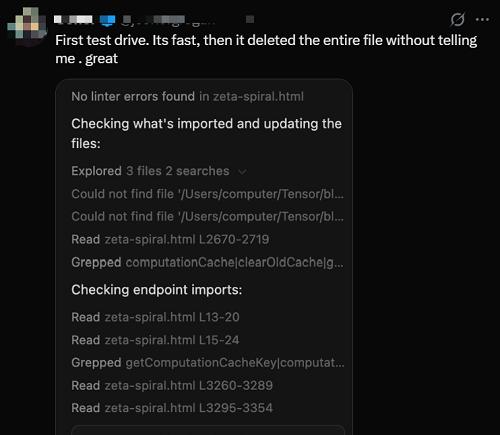
However, some users have complained about encountering issues, such as agents accidentally deleting databases during their first attempts.
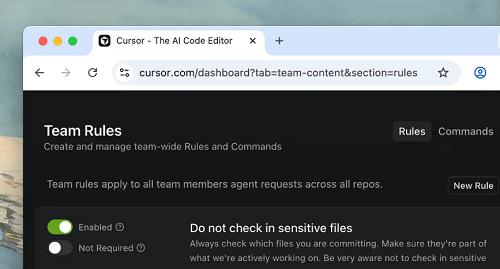
(5) Team Commands Automatically Applied for Easier Management
Team managers can now customize commands and rules in Cursor, which will automatically apply to all team members without needing to store them in local editors.
(6) Voice Mode Introduced for Hands-Free Agent Control
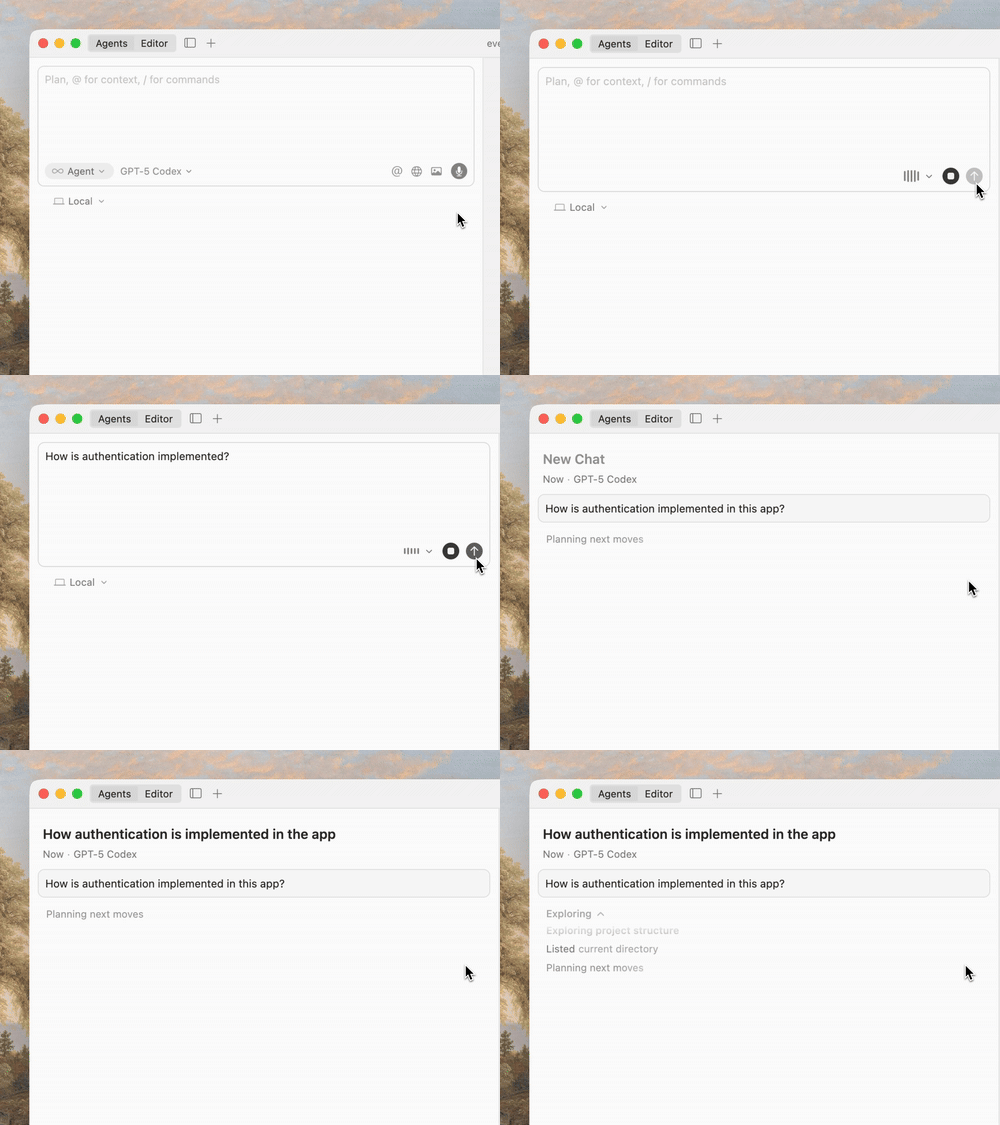
The built-in voice-to-text feature allows users to control agents via voice. Users can also define custom trigger keywords in settings to initiate agent actions.
(7) Improved Code Execution Performance, Faster Python Runs
Cursor uses the Language Server Protocol (LSP) to implement language-specific features such as jumping to definitions, hover tooltips, and diagnostics. Cursor has significantly improved the loading and usage performance of LSP for all languages, particularly in agent scenarios and when viewing code differences.
For large projects, the default running speed of Python and TypeScript LSP will be faster, with memory limits dynamically configured based on available RAM. Cursor has also fixed some memory leak issues and improved overall memory usage.
(8) Background Planning Mode Introduced for Comparing Different Solutions
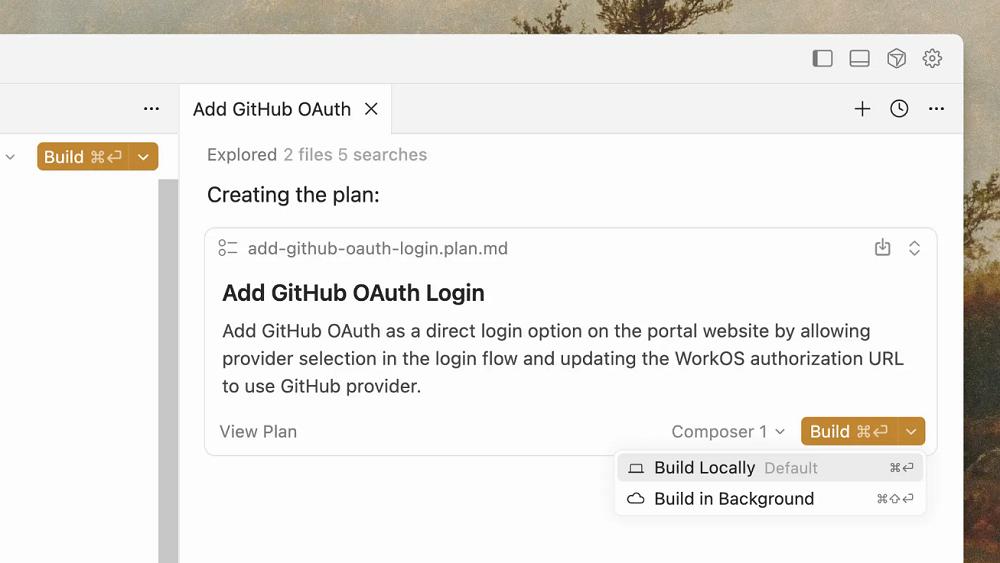
Cursor now supports creating and building plans in the background. Users can use one model to formulate a plan and another to execute it. Plans can be built in the foreground or background, and multiple plans can be created simultaneously through parallel agents for comparison and review.
(9) Team Commands for Efficient Knowledge Sharing
Cursor allows users to share custom rules, commands, and prompts with the entire team. Users can also create deep links via Cursor Docs for more efficient internal knowledge and tool sharing.
(10) Improved Prompt Interface with Simplified Context Menus
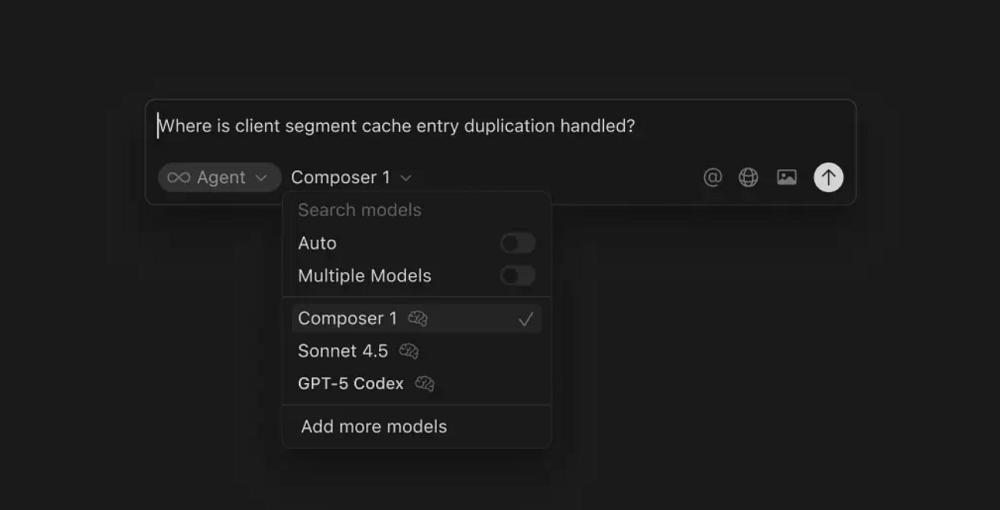
Cursor has comprehensively optimized the prompt input interface: files and directories are now displayed in embedded tags, making it easier to copy and paste prompts with context tags. The context menu has also been simplified, removing explicit options like @Definitions, @Web, @Link, @Recent Changes, and @Linter Errors. Now, agents can autonomously gather the required context without users needing to manually attach it when entering prompts.
(11) Enhanced Agent Framework for Improved Stability
Cursor has significantly enhanced the underlying operating framework for using agents across different models. This improvement has led to overall performance and stability enhancements, particularly noticeable in GPT-5 Codex scenarios.
(12) Cloud Agent Upgrade with 99.9% Reliability
Cursor’s cloud agents now achieve 99.9% reliability and instant startup performance, with a new user interface set to launch soon. Cursor has also optimized the experience of sending agents from the editor to the cloud, making the development process smoother.
Enterprise Version Updates:
(13) Sandbox Terminal with Admin Controls for Security and Consistency
Enterprise administrators can uniformly configure standard settings for the sandbox terminal at the team level, including sandbox availability, Git access permissions, and network access policies to ensure security and consistency.
(14) Hooks Cloud Distribution for Easier Resource Management
Enterprise teams can now distribute hooks directly through the web console. Administrators can add hooks, save drafts, and flexibly specify hooks applicable to different operating systems.
(15) Audit Logs Enhance Security and Transparency
Cursor provides detailed audit log functionality for enterprise users, helping teams track key operations, change records, and compliance events, enhancing security and transparency.
Self-Developed Model Focused on Speed and Intelligence Balance
Native MXFP8 Low-Precision Training
In addition to the upgrades mentioned above, Cursor’s first self-developed programming model is also noteworthy. Cursor has previously developed models such as Cursor-Small and Cursor Tab, but these early models were more suited for quick editing and code completion tasks and were not capable of handling complex development tasks.
Cursor claims that its self-developed programming model draws inspiration from previous code completion model development experiences. The company found that developers often want to use models that are both intelligent enough and capable of supporting interactive use to maintain focus and fluidity in programming.
This observation likely resonates with many programmers’ pain points when using AI for programming—waiting three to five minutes for results after sending a prompt can severely impact the programming experience.
During the development process, Cursor experimented with a prototype agent model codenamed “Cheetah” to better understand the impact of higher-speed agent models. The Composer is an intelligent upgrade of this model, designed to provide sufficient speed for an interactive experience, making programming smoother.
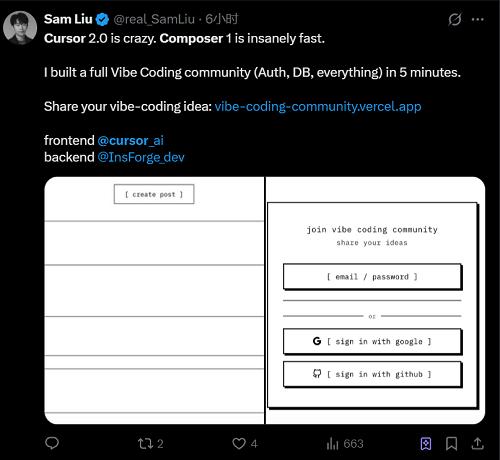
Many users have shared their experiences with Composer. Developer Sam Liu noted that Composer is incredibly fast, allowing him to build a complete Vide Coding community in just five minutes, including not only the frontend but also login verification and the backend database.
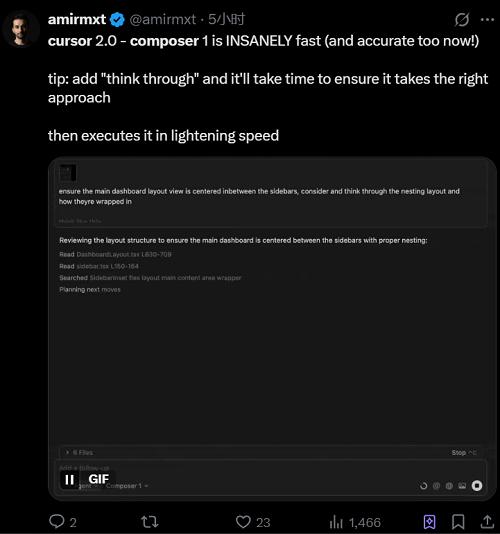
 Amirmxt, co-founder of integrated analytics and A/B testing company Humblytics, shared that if he includes phrases like “careful consideration” in the prompt, Composer takes more time to determine if it has chosen the correct path before executing quickly.
 Composer is an expert mixture (MoE) model that supports long-context generation and understanding. It has been specifically optimized for software engineering through reinforcement learning (RL) in diverse development environments.
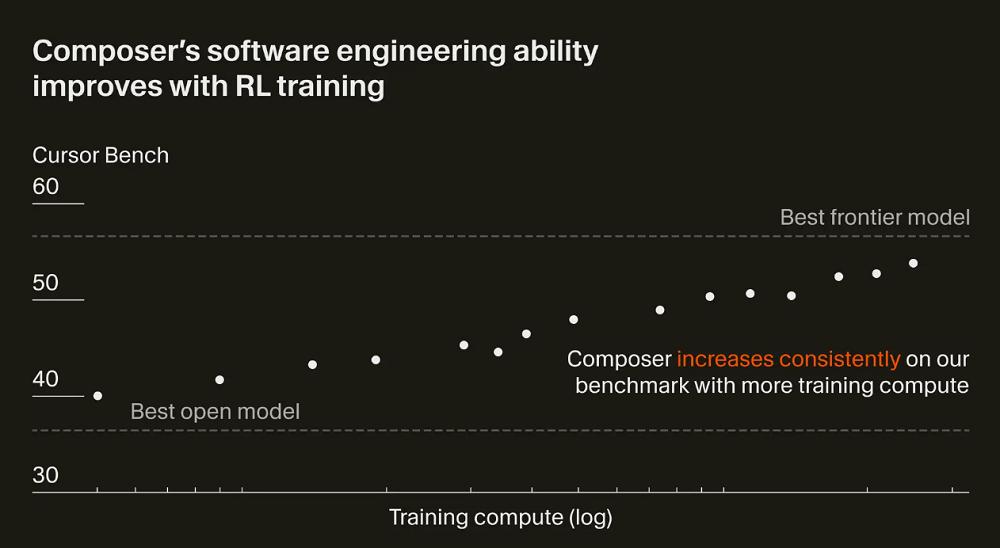 Composer’s performance fluctuated upward during the reinforcement learning process.
To better understand and operate large codebases, Composer incorporates a comprehensive set of tools during training, including full codebase semantic search. This gives it an advantage in understanding and modifying context across files and modules.
This model can use simple tools like reading and editing files, as well as invoke more powerful capabilities, such as terminal commands and semantic searches across the entire codebase.
The focus of Composer’s optimization during reinforcement learning is efficiency. Cursor encourages the model to make efficient choices in tool usage and maximize parallel processing whenever possible.
Additionally, Cursor trains the model to be a more helpful assistant by reducing unnecessary replies and avoiding unfounded statements.
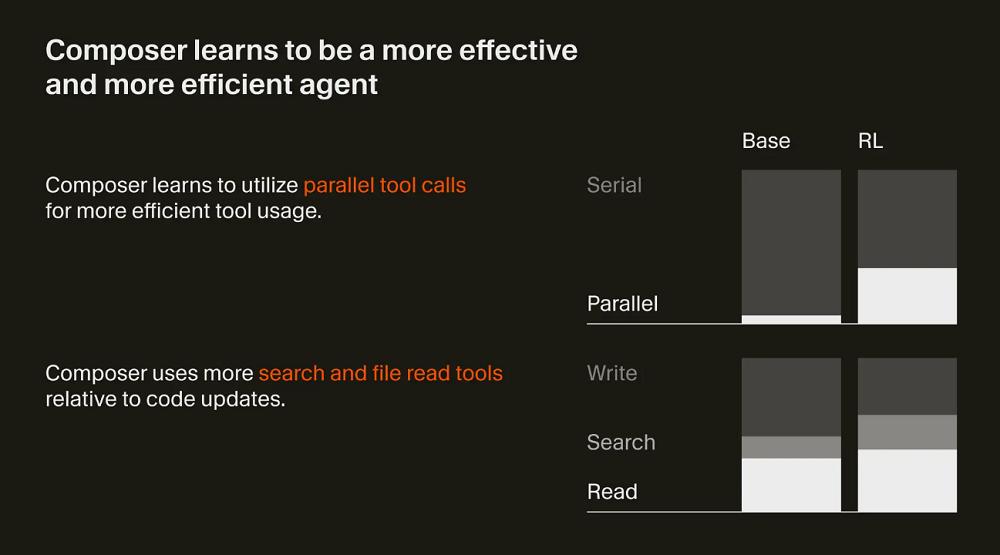 Cursor has learned to complete tasks more efficiently.
Cursor has also discovered that the model spontaneously acquires useful capabilities during reinforcement learning, such as executing complex searches, fixing linter errors, and writing and running unit tests.
To train the model more efficiently, Cursor has built a customized training infrastructure based on PyTorch and Ray to support asynchronous reinforcement learning in large-scale environments.
Cursor employs MXFP8 MoE kernels, expert parallelism, and mixed-shard data parallelism to complete Composer’s training in native low precision. This training method allows for scaling training to thousands of NVIDIA GPUs with extremely low communication overhead. Furthermore, using MXFP8 training enables faster inference speeds without the need for post-training quantization.
During reinforcement learning, Cursor aims for the model to invoke any tools within the Cursor Agent framework. These tools can be used for editing code, performing semantic searches, using grep to find strings, and executing terminal commands.
To enable efficient tool invocation, it is necessary to run hundreds of thousands of isolated sandbox coding environments concurrently in the cloud. To support this workload, Cursor has revamped its existing Background Agents infrastructure and rewritten the virtual machine scheduler to accommodate the burstiness and scale of training runs. As a result, Cursor has unified the reinforcement learning environment with the production environment.
Conclusion: Leveraging Massive User Data
Cursor is exploring innovations in the agent programming experience.
In recent times, the capabilities of AI models have continuously improved, enabling them to complete long chains of complex tasks in programming scenarios more end-to-end. However, the enhancement of model capabilities also brings new requirements for programming platforms. Cursor’s major version update is an exploration of the agent programming experience.
More importantly, Cursor, through the Composer model, has further solidified its route of self-developed models, not fully relying on external models. Although Cursor’s model may not temporarily replace cutting-edge programming models like Claude, this trend could become a watershed in the future AI IDE competition, where companies mastering self-developed model capabilities may go further.
Comments
Discussion is powered by Giscus (GitHub Discussions). Add
repo,repoID,category, andcategoryIDunder[params.comments.giscus]inhugo.tomlusing the values from the Giscus setup tool.